Changing PC Power Settings so Display Doesn't Turn off
Updated: 01/04/2016
Article #: 69
Go to Start  > Control Panel > System and Security > Power Options
Check the Energy Saver box
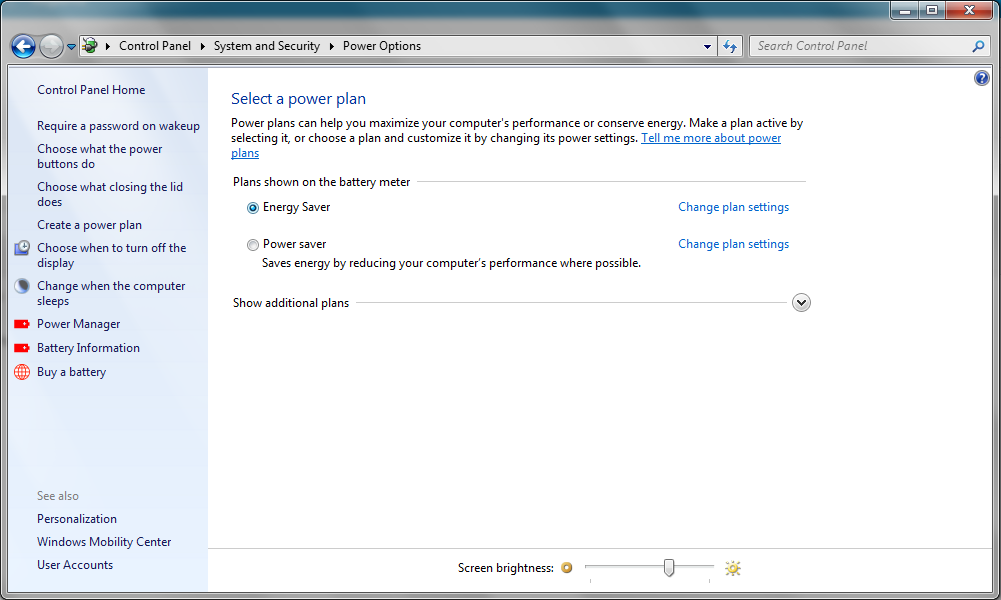
Select Change plan settings
Adjust Each of the settings to the way you want them
(If you never want your computer to go into Sleep mode
change all fields to Never)
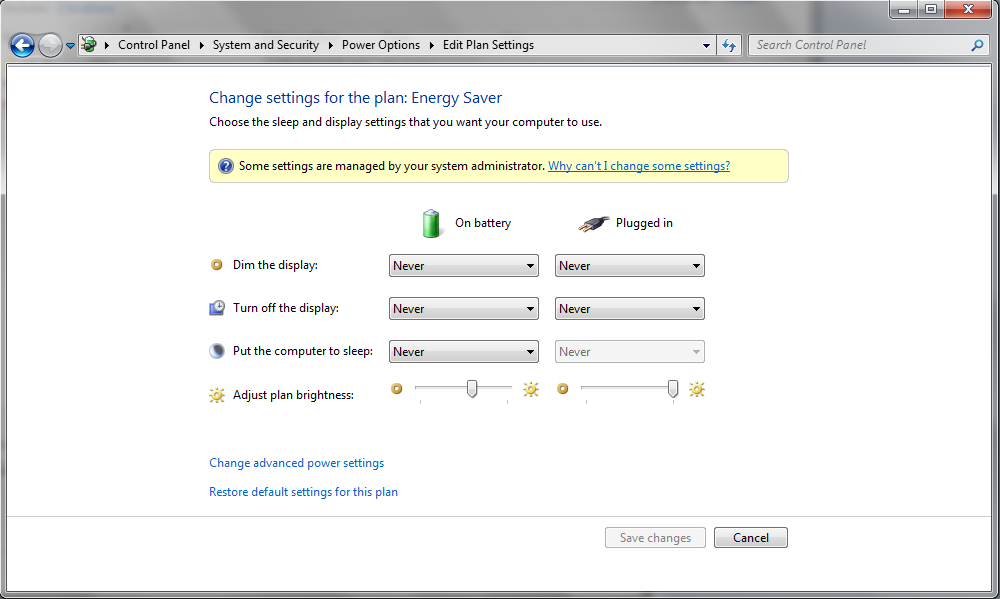
When you are finished select Save changes
> Control Panel > System and Security > Power OptionsCheck the Energy Saver box
Select Change plan settings
Adjust Each of the settings to the way you want them
(If you never want your computer to go into Sleep mode
change all fields to Never)
When you are finished select Save changes
|
Rate this FAQ:
|
|||
|
